

Secrets
A secret is a named, encrypted value - an API key, a bearer token, a password. You store it once and reference it by name, so the value itself never appears in a request template, an email layout, or your history.
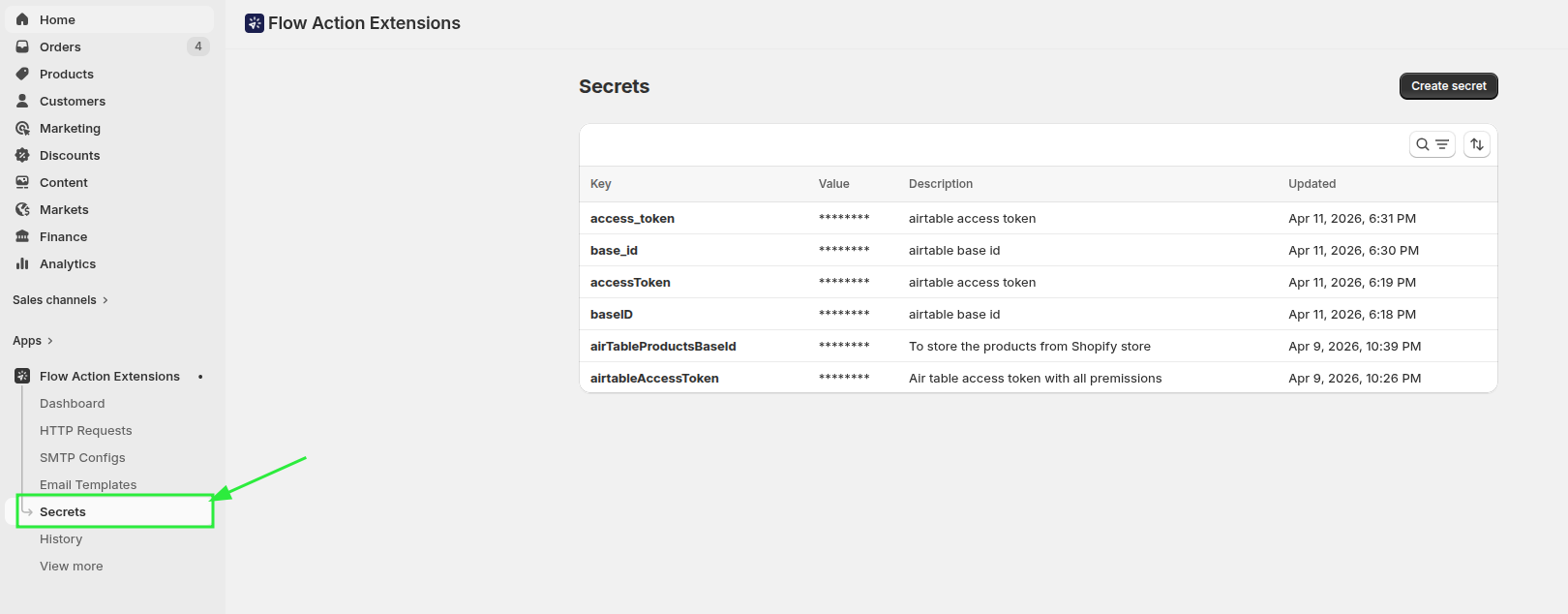
Creating a secret
Open Secrets and click Create secret.
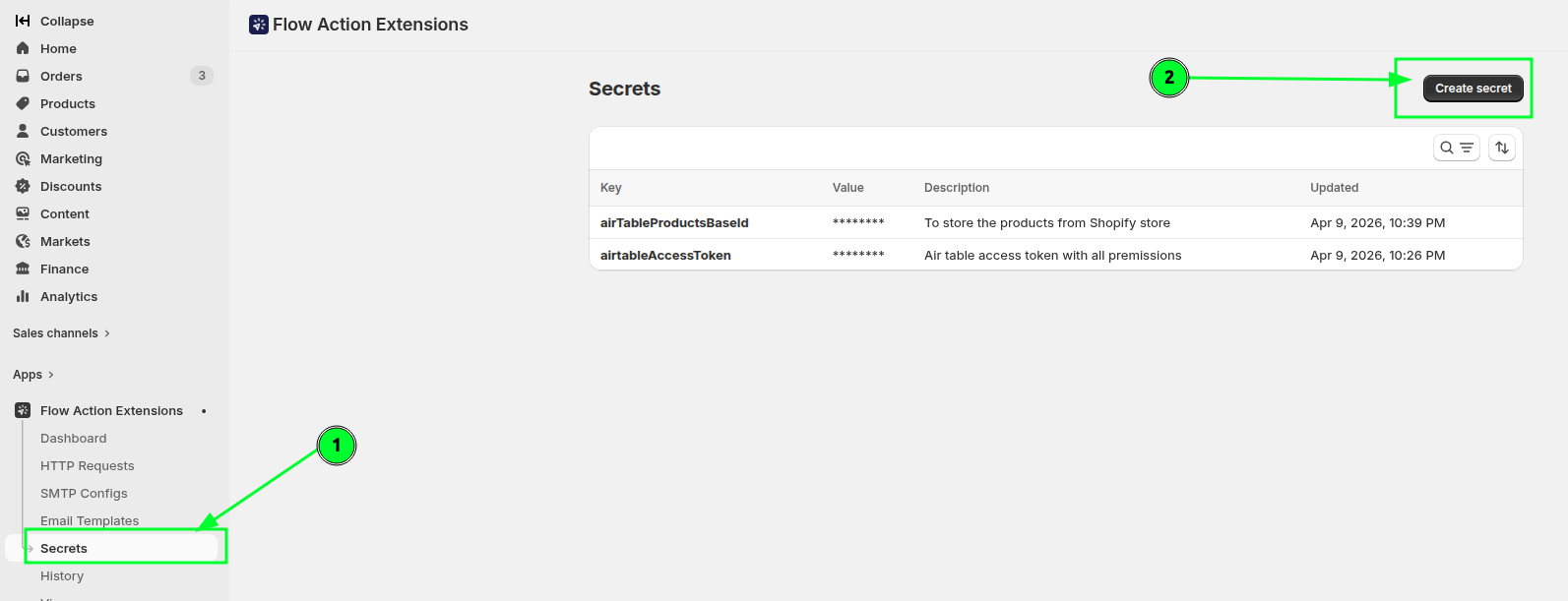
| Field | Notes |
|---|---|
| Name | Letters, numbers and underscores only. Must be unique. Cannot be changed later |
| Secret value | The value itself |
| Description | Optional, up to 1024 characters. Worth filling in - future you will not remember which token this was |
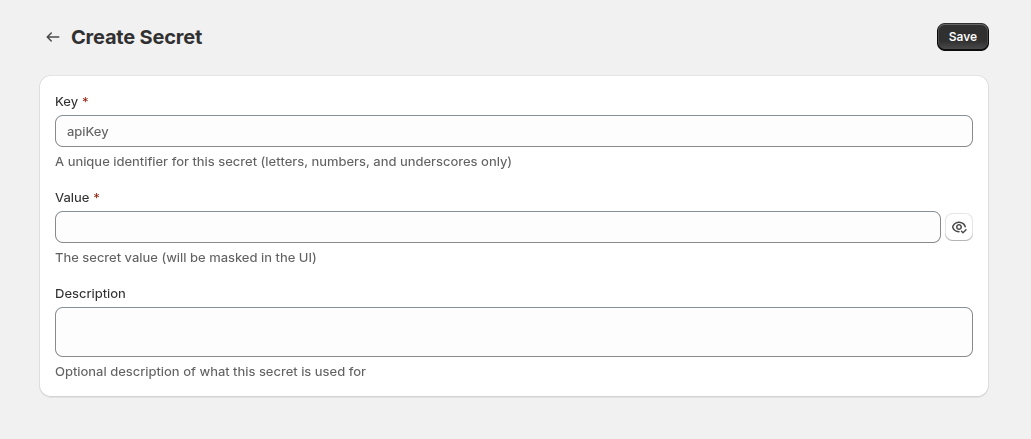
The name is fixed after creation because changing it would break every template referencing it. To rename, create a new secret, update the references, then delete the old one.
Using a secret
Reference it with {{ secrets.keyName }}:
Authorization: Bearer {{ secrets.airtableAccessToken }}Secrets work in:
- HTTP request URLs, headers and bodies
- SMTP username and password fields
- Email subjects and bodies, including visual-builder text fields
[!WARNING] The syntax is exact.
{{ secrets.keyName }}works.{{ secret.keyName }}(singular) and{{ secrets['keyName'] }}(brackets) do not, and because templates render leniently they fail silently, leaving a blank where the value should be. Names are case-sensitive.
The editor sidebar has an Available Secrets card listing your keys as clickable badges - click one to copy the correct syntax rather than typing it. Hovering shows a masked preview so you can confirm you picked the right one.
How secrets are protected
- Values are envelope-encrypted at rest with Cloud KMS and decrypted only while an action is running. Plaintext is never persisted.
- The Secrets list shows
********, never the value - the page does not even receive it. - Secret values are redacted from request data before it is written to History, so a stored token cannot leak through your own logs.
- Sidekick can tell you a secret exists, but never its value.
The edit page does show the current value, so you can correct a mistyped token.
Verifying a secret resolves
Because a wrong name renders as an empty string rather than an error, check your work:
- For an HTTP request, use Test and read the Resolved URL and Resolved Body in the result card.
- For an email, use Send test email.
- After a live run, open the entry in History and inspect the request data.
Deleting a secret
Before deleting, the app scans your HTTP requests, SMTP servers and email layouts for references. If it finds any, the delete action is removed and a banner lists what to fix first, grouped by type.
[!WARNING] Treat that check as a helpful backstop rather than a guarantee, and confirm yourself that nothing still uses the secret. A secret deleted while in use does not raise an error at send time - the reference simply renders empty, which typically shows up as a
401 Unauthorizedfrom the destination API, or an SMTP login failure.
Editing or deleting a secret affects every workflow using it across your store, immediately.
Related
- Make an HTTP request from Shopify Flow - secrets in a worked example.
- Variables and Liquid - the full templating reference.
- History and troubleshooting - confirming what was actually sent.